
The best time tracking apps in 2026
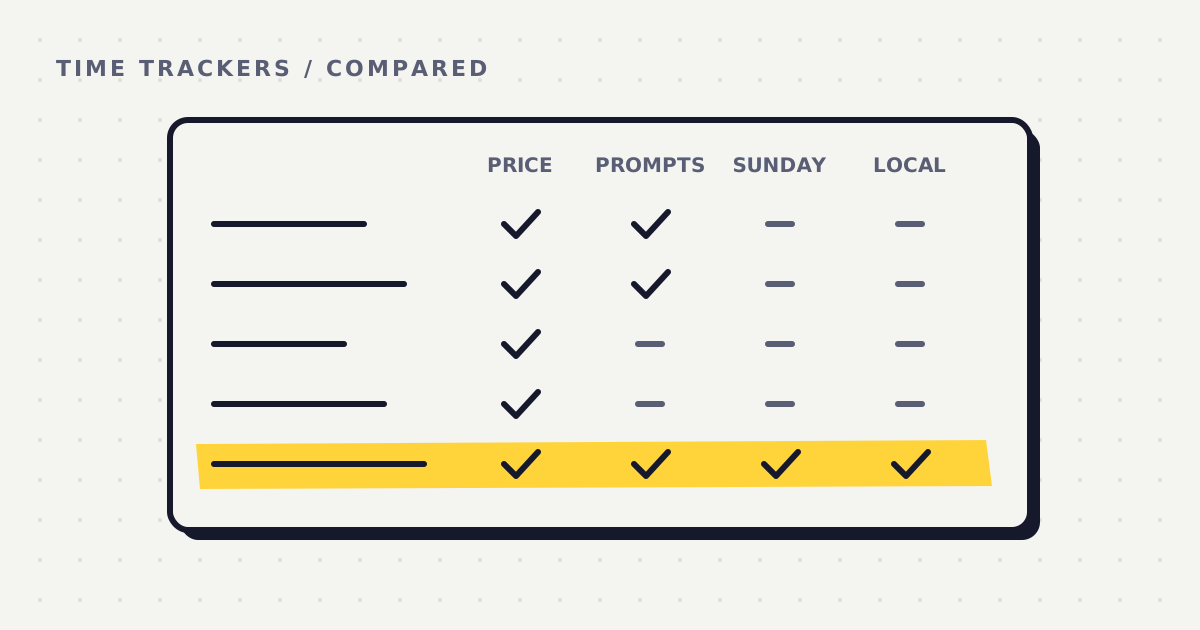
Most people who go looking for a time tracker are asking one of four questions. Can I get one without another subscription? Can my small team afford one? Will it remind me to log, and tell me at the end of the week how it went? Can I keep my data off somebody else's server?
This page answers those four, tool by tool. I make one of the tools on it, Whatcha Doing, so read my entry knowing that. I've tried to say plainly where another tool is the better choice, and every rival fact below comes from that company's own pricing page or help centre, linked at the bottom.
How I judged them
The big roundups judge time trackers on a familiar list. Zapier's looks at real time tracking, editing and manual entry, reporting, invoicing or export, and which devices you can use. Capterra's free list shows the starting price and whether there's a free version. I kept those and narrowed them to the four questions.
- Pricing model. Is it a subscription, or can you pay once? Is there a free plan or a free trial?
- Cost under $50 a month. What would five people pay, billed yearly and billed monthly?
- Ease of use. How much do you have to remember to do yourself?
- Prompted logging and a weekly summary. Does it ask you to log, and does anything look back at your week?
- Where your data is stored. On the company's servers, or on your own computer?
Invoicing, team reports and payroll matter a lot to some readers, so the table says which tools do them well, even though Whatcha Doing does none of them.
The comparison table
Prices are in US dollars, per user, as listed on each pricing page. I last checked them on Oct 26, 2026. Yearly billing is shown first because it's the price each company leads with.
| Tool | Price | Subscription needed? | Where data lives | Prompts you to log? | Weekly review? |
|---|---|---|---|---|---|
| Toggl Track | Free for up to 3 users. Starter $9 a month billed yearly, $12 monthly. | Only for paid plans. | Toggl's cloud, with an account. | A nudge on desktop and mobile when you forget to start a timer. | Scheduled report emails, daily, weekly or monthly. |
| Clockify | Free for up to 5 users. Basic $3.99 billed yearly, $4.99 monthly. Invoicing from Standard, $5.49 yearly. | Only for paid plans. | Clockify's cloud. A choice of data region (EU, UK, US, Australia) on Pro. | Free plan has idle detection and reminders to start or stop the timer. Targets and reminders from Standard. | Email reports each day, week or month, from Pro ($7.99 yearly). |
| Harvest | Free for 1 seat and 2 projects, invoicing included. Teams $9 a seat billed yearly, $11 monthly. | Beyond one seat and two projects, yes. | Harvest's cloud, with an account. | Personal reminders at times and days you choose. Weekly team reminders set by an admin. | A weekly email of your time, sent on the first day of each week. |
| TimeCamp | Free for unlimited users. Starter $3.99 billed yearly, $5.49 monthly. | Only for paid plans. | TimeCamp's cloud. Running it on your own servers is an Enterprise option. | No. It leans on automatic tracking instead. | Scheduled email reports from Premium ($6.99 yearly). |
| ActivityWatch | Free and open source. Optional Pro plans from $5 a month fund development. | No. | On your device. Its site says the data doesn't leave it. | No. It records the active app and window title automatically. | Charts you open and read yourself. |
| Paper and a template | $0. | No. | Your desk. | No. You have to remember. | Yes, if you sit down and do it. |
| Whatcha Doing | 7 day free trial. Then $5 a month, $48 a year, or $65 once for Lifetime. | No. Lifetime is a single payment. | Plain text files on your computer. No account. | Yes. A pop and a question at the interval you set. | Yes. A graded report every Sunday, scored 1 to 10. |
On a phone, scroll the table sideways. Prices and plans change, so check the linked pricing page before you buy anything.
Who each one suits
Toggl Track. Best for freelancers and small teams who live by a start and stop timer and want billable rates. It's the one most roundups start with, and Zapier picks it as its best free option. The free plan covers up to three people.
Clockify. Best for a small team on a tight budget that needs proper timesheets now and invoicing later. The free plan covers up to five users, invoicing arrives on Standard, and choosing the region your data is held in is a Pro feature.
Harvest. Best for freelancers and agencies who invoice clients from tracked hours. The free plan already includes invoicing for one seat and two projects, which makes it the strongest pick here if getting paid is the point.
TimeCamp. Best for a team that wants attendance, time off and overtime handled in the same tool as its hours. It also gives the most away for free, with unlimited users.
ActivityWatch. Best for someone who wants nothing in the cloud and nothing to pay. It watches which app is in front of you, so it sees screen time very well. It can't tell you what you were doing away from the screen, and it doesn't know what you planned.
Paper and a template. Best for trying the weekly habit before you pay for anything. The catch is that nothing reminds you, so it only works on the days you remember.
Whatcha Doing. Best for one person who wants to be asked during the day and graded against their own plan on Sunday. It's the wrong choice for invoicing, client billing or team payroll, and any of the first four will serve you better there.
Whatcha Doing
It's a desktop app for Windows, macOS and Linux. At the interval you set (anywhere from 1 minute to 8 hours, and 90 minutes is a good place to start) it makes a small pop and asks what you just did. You type one line and it writes it down. On Monday you write your goals for the week. On Sunday it grades the week against them.
- Data. Your log, your plan and your reports are plain text files in a folder on your own computer. There's no account and no cloud dashboard, and you can open the files without the app.
- The one thing that leaves your computer. To write Sunday's report, the week's log and plan go to an AI model. On the trial and on Monthly they pass through my server and nothing is stored. On Lifetime they go straight from your computer to the provider you pick, on your own key.
- Price. The first week is free, with no card. After that it's $5 a month, $48 a year, or $65 once for Lifetime, which uses your own AI key (a report costs a few cents, billed by your provider).
- Refunds. There's a 14 day money back guarantee on Lifetime and on the first Monthly or yearly payment.
- What it isn't. It has no teams, no invoicing, no billable rates and no way to watch anyone else.
The four questions, answered
"I don't want another subscription."
Whatcha Doing Lifetime is $65 once, and you can run the first week free before you decide. Among the others, ActivityWatch is free with no subscription at all, and Toggl Track, Clockify, Harvest and TimeCamp all have free plans that stay free as long as you fit inside their limits. Their paid tiers are subscriptions.
"My small team has less than $50 a month."
Whatcha Doing is the wrong tool for this, because it's a personal desktop app with no shared view. For five people, TimeCamp's free plan and Clockify's free plan both cost nothing. On paid plans billed yearly, five seats come to $19.95 a month on Clockify Basic or TimeCamp Starter, $27.45 on Clockify Standard if you need invoicing, and $45 on Toggl Track Starter or Harvest Teams. Billed monthly, Toggl ($60) and Harvest ($55) go over $50.
"I forget what I did all day."
You need something that asks you, and then something that looks back. Whatcha Doing asks at your interval, so the log fills in while you still remember, and on Sunday it reads the whole week back against your plan. Toggl, Clockify and Harvest can remind you to start a timer or fill in a timesheet, and each can email you a weekly summary of hours, but those summaries count time rather than check it against what you meant to do.
"I don't want my data in the cloud."
Whatcha Doing keeps everything as plain text files on your computer, with no account, so there's nothing stored on my side. The only exception is Sunday's report, when the week is sent to an AI model to be graded and isn't kept. If you want nothing to leave the machine at all, ActivityWatch stores its data locally, and paper never leaves your desk. Toggl, Clockify, Harvest and TimeCamp are cloud services, although Clockify Pro lets you pick a region and TimeCamp offers running it on your own servers for large Enterprise customers.
How the Sunday review works
On Sunday the app sets your log beside your Monday plan. The report covers what you planned, what you did, what got in the way, how much was deep work and how much was distraction, a plan for next week, and a score from 1 to 10.
You choose how it talks to you: Gentle, Honest or Brutal. The findings and the score are identical in all three. Only the delivery changes, so picking Gentle never buys you a kinder grade.
There's a reason to look back at all. A 2016 analysis of 138 experiments found that monitoring progress toward a goal makes reaching it more likely, and more so when progress is physically recorded. A field study at a call centre found that people who spent 15 minutes at the end of the day reflecting on what they'd learned scored higher on a final test than people who spent those minutes working.
You can run the same review on paper today, without installing anything. The free Weekly Review template uses the same headings the coach uses on Sunday, and the free Weekly Plan template has the same three levels as the app's planner: the month's goals, the week's objectives and each day.
Try it, or don't
If one of the others fits your question better, use it. If you're one person who keeps losing the day and wants to be graded against your own plan, run one week of Whatcha Doing. The first week is free, with no card, no account and no AI key. Download the desktop app, plan on Monday, answer the pop, and read what Sunday says.
I'll update this table as these tools and their prices change.
Sources
- Toggl. Toggl Track pricing and basic information on Toggl Track pricing.
- Clockify. Pricing and subscription plans.
- Harvest. Pricing plans, timesheet reminders and personal time report by email.
- TimeCamp. Pricing.
- ActivityWatch. ActivityWatch, open source time tracker.
- Abbamonte, K. (2026). The 5 best time tracking apps. Zapier.
- Capterra. Best free time tracking software.
- Harkin, B., Webb, T. L., et al. (2016). Does monitoring goal progress promote goal attainment? A meta-analysis of the experimental evidence. Psychological Bulletin, 142(2).
- Di Stefano, G., Gino, F., Pisano, G. P., & Staats, B. R. (2014). Learning by thinking: How reflection aids performance. Harvard Business School Working Paper 14-093.
Run one week. The first week is free, with no card and no account.
Download free