
How to stop losing track of the day, with no manual timers
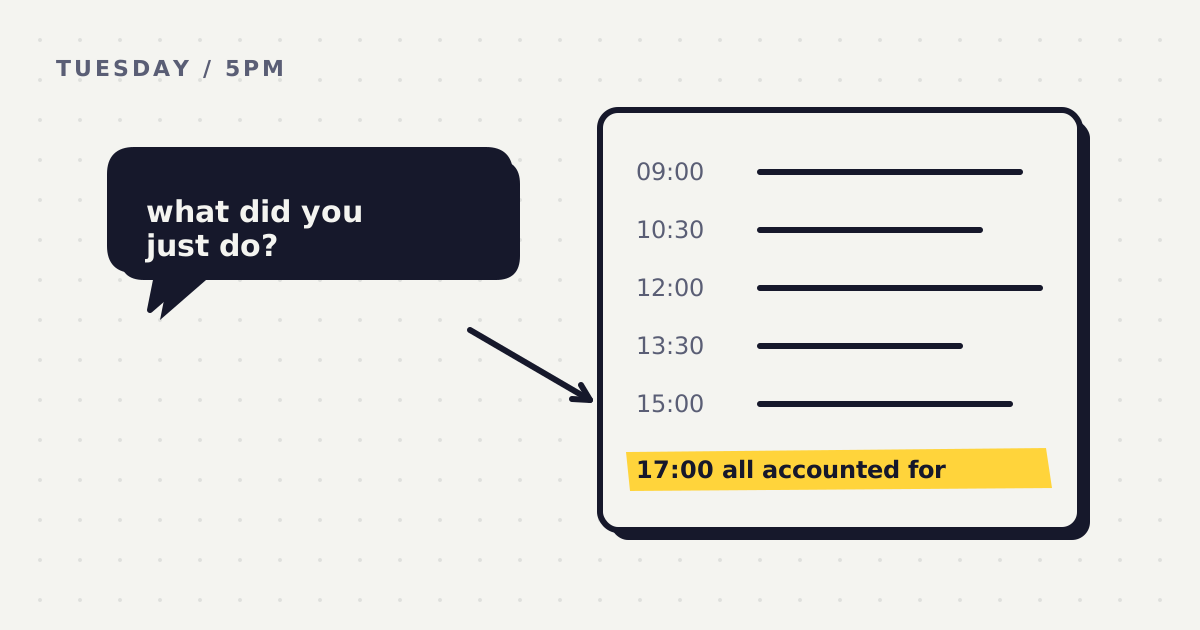
It's 5pm. You were busy all day, and you can't say what you did. You remember the call at eleven and the bug after lunch. The rest is a blur of tabs, messages and small jobs that felt urgent at the time. Tomorrow you'll start again with no idea which of today's hours moved anything you care about.
This guide is about a small habit that fixes that, called offline task journaling. I'll explain the method first, so you can do it with a text file or a sheet of paper. Then I'll show one app that does the asking for you. I make that app, so read that part knowing it.
What offline task journaling is
Offline task journaling is a short, regular log of what you actually did, kept on your own computer. Every so often you write one line. Not what you planned, not what you meant to do, but what happened. At the end of the week you read the lines back.
It's easiest to understand next to the two tools most people try first.
- Manual timers. You press start when you begin a task and stop when you finish. They're accurate when you remember to use them, and that's the catch. The days you most need a record are the days you jump between things and forget to press anything.
- Background trackers. These run quietly and record which app or website was in front of you. They never forget, but they only see the window, not the reason. An hour in your browser could be research for a client or an hour of scrolling, and the tracker can't tell which.
- A task journal. You write the line yourself, in your own words, so it carries the reason. And because the file lives on your computer, nobody else holds a copy of your working day.
Why being asked beats remembering at 5pm
Memory is a poor record of a day. Researchers who study daily life learned this long ago, which is why they stopped relying on end of day recall. One method has people rebuild the previous day as a series of short episodes, specifically to reduce recall bias. Another, called ecological momentary assessment, skips memory almost entirely by asking people at intervals, in the moment. When studies compare the two, recalled numbers come out rounded off and often don't match what was written down at the time.
Work hours show the same drift. When the US Bureau of Labor Statistics compared people's answers about their usual working week with detailed time diaries, the usual hours estimate in one survey ran about 3.7 hours a week higher. Researchers still argue about how big the gap is in general, and that argument is the point. Even careful surveys disagree with memory.
So the fix isn't trying harder to remember. It's writing things down while they're still fresh, in small pieces. A line written ninety minutes after the fact is far easier to get right than a whole day reconstructed at 5pm.
Being asked at intervals also removes the job of starting and stopping timers. A timer needs you to act at the beginning of every task, which is exactly when your attention is on the task. A prompt needs you to act once, at a time it chooses, and only asks what already happened. You don't have to know in advance what the next ninety minutes will hold. You only have to say what they were.
There's a second benefit. A 2016 analysis of 138 experiments found that monitoring progress toward a goal makes reaching it more likely, and more so when the progress is physically recorded. The log isn't only a record. Keeping it changes what you do next.
How to start, step by step
- Pick an interval. Ninety minutes is a good starting point. It's long enough to finish a piece of real work and short enough that you still remember it. Shorter feels intrusive for most people. Longer and the lines get vague. Set a repeating alarm on your phone or computer if you're doing this by hand.
- Answer one line each time. When the alarm goes, ask yourself one question: what did I just do? Write the time and one honest sentence. "Email, then YouTube" is a good line. "Worked on stuff" isn't. If the stretch went somewhere you didn't plan, say so, because that's the line you'll learn the most from.
- Keep entries in plain text. One file per week, one line per entry, in any text editor. Plain text opens anywhere, searches instantly and will still open in twenty years. Paper works too, as long as you keep it in one place.
- Read the week back on Sunday. Put the week's log next to the week's plan and spend fifteen minutes on it. What moved? What didn't? Where did the time go instead? Which distraction showed up more than once? Write one thing to change next week.
That's the whole method. The hard part isn't any single step. It's remembering to answer when you're deep in something else, which is why most people who try it by hand stop by Thursday.
A day's journal, worked through
Here's one Tuesday for a solo founder whose goal this week is to ship a new onboarding email sequence. The interval is ninety minutes, and every line was written when the alarm went off.
09:00 AM to 10:30 AM (1h 30m): Drafted onboarding emails 1 and 2.
10:30 AM to 12:00 PM (1h 30m): Client call, then Slack and two invoices.
12:00 PM to 1:30 PM (1h 30m): Lunch, then read about other people's pricing pages. Not planned.
1:30 PM to 3:00 PM (1h 30m): Fixed a login bug a customer reported.
3:00 PM to 4:30 PM (1h 30m): Email 3, half done. Kept checking my phone.
4:30 PM to 5:00 PM (30m): Wrote tomorrow's first task: finish email 3 before opening Slack.
Six lines, about a minute of writing in total. At 5pm this person doesn't have to guess. Three hours went to the goal, an hour and a half went to a bug that couldn't wait, and an hour drifted into reading that felt like work but wasn't on the plan.
Now the Sunday read back, using the same headings as the free Weekly Review template.
Plan alignment. Emails 1 to 3 are done, 4 and 5 aren't. Their time went to support and reading.
Time sinks. Reading other people's pricing pages, always straight after lunch.
Deep work vs. distraction. About 11 hours on the plan, about 9 on everything else.
Score. 6 out of 10. One point higher if emails 4 and 5 had gone out.
Next week. If it's after lunch and I want to look at pricing, then I write the idea in a note and go back to the plan.
Notice what the review does. It doesn't just say the week was busy. It names a pattern (after lunch, pricing pages) and turns it into an if/then rule for next week. That's only possible because the lines were written at the time, in words that explain why.
What to look for in a tool
You can run this method forever with a text file and an alarm. If you want a tool to help, here's a short checklist.
- It prompts you. The tool asks at an interval, so the habit doesn't depend on your memory or on starting a timer.
- It stores data locally. Your log lives on your computer, with no account to create and no cloud copy of your day.
- The files are readable plain text. You can open the log in any editor, without the app.
- It reviews the week against your own goals. Not against a general idea of productivity, but against what you said you'd do.
Whatcha Doing is one app built around these four points. It's a desktop app for Windows, macOS and Linux. Here's what it does, and where it stops.
- It asks at an interval you set. A small pop, then the question "what did you just do?". You type a line and get back to work. You can set the interval anywhere from 1 minute to 8 hours, and ninety minutes is a good place to start.
- Deep Work mode. When you need a long stretch without interruptions, it holds its questions, then asks once about the whole stretch when you come back up.
- Local plain text. Each week's log is a plain text file in the app's own folder on your computer. There's no account. You don't choose the folder, but you can open the files in any editor.
- A Sunday review against your plan. On Monday you write the week's goals. On Sunday an AI coach reads the log against them and writes up the week with a score from 1 to 10. Logging works offline, but the Sunday report needs a connection, because your week is sent to an AI model to be graded.
The first week is free, Sunday report included, with no card, no account and no AI key. After that it's $5 a month, $48 a year, or $65 once for Lifetime on your own AI key, with a 14 day money back guarantee. See the pricing.
Try the method on paper first
You don't need an app to find out whether this works for you. Two free templates follow the same structure.
- The Weekly Plan template has three levels: the month's goals, the week's objectives and each day's tasks. Fill it in on Monday.
- The Weekly Review template has the six headings used in the Sunday review above. Fill it in on Sunday with your log beside it.
Print them, or copy the headings into a text file. Run one week with an alarm on your phone and see what your Sunday looks like.
Questions people ask
Do I need to start timers?
No. That's the point of the method. You're asked at intervals and you describe what already happened, so there's nothing to start or stop. In Whatcha Doing, the question arrives on its own at the interval you set.
Where is my data stored?
If you journal by hand, wherever you keep the file. In Whatcha Doing, your log is plain text in the app's own folder on your computer, with no account and no cloud copy. Once a week, the week is sent to an AI model to write your Sunday report, and it isn't kept.
What if I get interrupted during focused work?
Plan for it. If you're doing this by hand, silence the alarm for the length of the session and write one line at the end. In Whatcha Doing, turn on Deep Work mode. It holds the questions until you come back up, then asks once about the whole stretch.
What's the difference between this and automatic trackers?
Automatic trackers record which app was open. A task journal records what you were doing and why, in your words. And a weekly review grades that record against your own plan, so the question isn't how many hours you spent in your editor, but whether you did what you said you'd do.
Start this week
If you keep reaching 5pm without knowing where the day went, try the method for one week. Print the free templates and set an alarm, or download Whatcha Doing and let it ask you. The first week is free either way.
Sources
- Kahneman, D., Krueger, A. B., Schkade, D. A., Schwarz, N., & Stone, A. A. (2004). A survey method for characterizing daily life experience: The day reconstruction method. Science, 306(5702), 1776 to 1780.
- Shiffman, S. (2009). Ecological momentary assessment (EMA) in studies of substance use. Psychological Assessment, 21(4), 486 to 497.
- Robinson, J. P., Martin, S., Glorieux, I., & Minnen, J. (2011). The overestimated workweek revisited. Monthly Labor Review, June 2011.
- Frazis, H., & Stewart, J. (2014). Is the workweek really overestimated? Monthly Labor Review, June 2014.
- Harkin, B., Webb, T. L., et al. (2016). Does monitoring goal progress promote goal attainment? A meta-analysis of the experimental evidence. Psychological Bulletin, 142(2).
Try the first week free, report included, no card, account or AI key.
Download Whatcha Doing