
The best offline task journaling tools
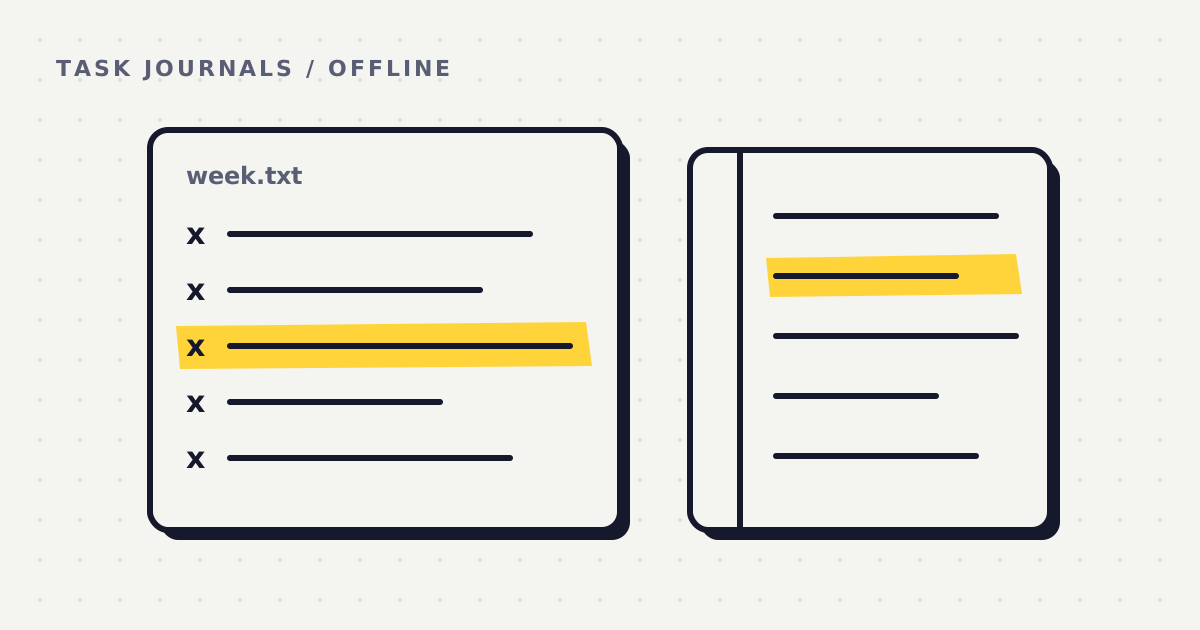
Some people want a task journal that stays on their own computer. No account to make, no company holding the file, nothing that stops working when the wifi does. The usual questions sound like this. Can I keep a log of my work offline, in plain text, with no account? Is there something that reminds me to write things down, without a timer to start and stop? Can I get a weekly summary without paying every month? And can I check the week against what I meant to do, without building a system first?
This list answers those questions, option by option. I make one of the tools on it, Whatcha Doing, so read my entry knowing that. For the others I've stuck to what each project says about itself, linked at the bottom, and I've said plainly where one of them is the better choice.
How I judged them
- Works offline. If the tool needs a connection to save a line, you'll lose the line the one time you're on a train. Logging should never depend on a server.
- No account or cloud. An account means a company holds a copy of your working life. For a private journal, the best account is none.
- Plain text storage. A text file opens in any editor today and in twenty years. A database or a proprietary format ties your history to one app.
- Prompts you, with no timer. Most journals wait for you to remember. A timer helps only if you remember to start it. The question is whether the tool asks you.
- Weekly summary. A log you never read back is a diary. Something should look at the week as a whole.
- Cost model. Free, a single payment, or a subscription. This decides what the tool costs you over a year, not just this month.
The comparison table
I last checked these facts on Oct 26, 2026. Prices are in US dollars.
| Option | Works offline | No account or cloud | Plain text storage | Prompts you | Weekly summary | Price | Best for |
|---|---|---|---|---|---|---|---|
| todo.txt | Yes. | Yes. It's a file, and you decide where it lives. | Yes. One task per line, and a finished task starts with an x and the date. | No. | No. The finished lines are there to read back yourself. | Free. An open format with free apps for it. | The simplest list any text editor can open. |
| Obsidian with the Tasks plugin | Yes. | Yes. The app needs no account. Sync between devices is an optional paid service. | Yes. Tasks are checklist lines inside Markdown notes in a folder you choose. | No. | Only what you build. A query can list tasks done in a date range. | Free app and free plugin. Sync is $4 a month billed yearly, $5 monthly. | People who already keep their notes in Markdown. |
| Taskwarrior | Yes. | Yes. Sync is optional. | Not since version 3.0. Tasks now sit in a local SQLite database, and earlier versions used text files. | No. It's a command line tool you type into. | Reports you run yourself, including burndown charts by day, week or month. | Free and open source. | People who live in a terminal and want powerful filters. |
| Joplin | Yes. | Yes. Sync is optional, through Joplin Cloud (paid) or a service you already use, such as Nextcloud, Dropbox or WebDAV. | Partly. Notes are written in Markdown but kept in a local SQLite database. | Only alarms you set on single tasks. | No. | Free and open source. Joplin Cloud is a paid extra. | Notes and checklists on both your phone and your computer. |
| Pen and paper | Yes. | Yes. | The most portable format there is, but you can't search it. | No. You have to remember. | Yes, if you sit down and do it. | The price of a notebook. | Trying the weekly habit before installing anything. |
| Whatcha Doing | Logging, yes. The Sunday report needs a connection. | No account. Your log stays on your computer. The week is sent to an AI model on Sunday to be graded, and isn't kept. | Yes. Logs are text files and reports are Markdown, in the app's own folder. | Yes. A pop and a question at the interval you set. | Yes. A report every Sunday, graded against your Monday goals, scored 1 to 10. | First week free. Then $5 a month, $48 a year, or $65 once. | One person who forgets to log and wants the week checked against a plan. |
On a phone, scroll the table sideways. Projects change, so check the linked pages before you rely on a detail.
Who each option suits
todo.txt. Best for someone who wants a list that will outlive every app. The format is just text with a few conventions, so you can edit it in Notepad, sync it through any folder service you trust, and never be locked in. It won't remind you, and it won't summarise anything.
Obsidian with Tasks. Best for people who already write notes in Obsidian and want their tasks inside those notes. Everything is Markdown in a folder you pick, and the Tasks plugin can pull due dates, recurring tasks and done dates from across your notes. The weekly view is yours to set up.
Taskwarrior. Best for someone comfortable at a command line who wants serious filtering and reports. It's the most capable list here. Since version 3.0 it stores tasks in a SQLite database rather than text files, which matters if plain text was the reason you came.
Joplin. Best for keeping notes and task lists on a phone and a computer without handing them to a big company, because you can sync through your own storage. It's a note app first, so journaling your work is something you do by habit, not something it asks for.
Pen and paper. Best for finding out whether a weekly review suits you, at no cost. The catch is that nothing reminds you, so it works on the days you remember.
Whatcha Doing. Best for one person who means to log the day and keeps forgetting. It's the only option here that asks you, and the only one that reads the week back against what you planned. It's a desktop app for one person's log, so it's the wrong choice if you want a phone app, a shared list, or a task manager with due dates.
The four questions, answered
"I want logging that prompts me, without timers."
Whatcha Doing is built for this. It interrupts you at an interval you set, anywhere from every minute to every eight hours, asks what you just did, and writes your answer down. Ninety minutes is a good place to start. None of the others ask you anything, and Joplin's alarms remind you about a single task rather than asking what you did.
"I want a private plain text journal with no account."
todo.txt and Obsidian are the purest answers. Both are plain text in a folder you choose, and neither needs an account. Whatcha Doing also keeps plain text files with no account, but in the app's own folder on your computer rather than one you pick, and it sends the week to an AI model once a week for the report.
"I want offline logging with weekly reports, and no monthly fee."
Taskwarrior's reports are free and fully offline, as long as you're happy at a command line and don't need plain text files. Whatcha Doing Lifetime is $65 once with no subscription. It runs the Sunday report on your own AI key from Anthropic, DeepSeek, Google Gemini or Perplexity, so each report costs a few cents with that provider and needs a connection to run.
"I want to review the week against my goals, with little setup."
Whatcha Doing does this by default. You write the week's goals on Monday, in about four minutes, and Sunday's report checks the log against them. If you'd rather not install anything, a paper plan and a paper review do the same job by hand. The free templates below give you both.
Whatcha Doing, fairly
It's a desktop app for Windows, macOS and Linux. At your interval it makes a small pop, asks what you just did, and saves your one line as plain text on your computer. On Monday you write down your goals. On Sunday it reads the week back against them: what you planned, what you did, what got in the way, how much was deep work, a plan for next week, and a score from 1 to 10.
- Three settings for the report. Gentle, Honest and Brutal. The findings and the score are identical in all three, and only the delivery changes.
- Deep Work mode. When you need a long stretch without interruptions, it holds its questions until you come back up, then asks once about the whole stretch.
- The free week. Everything, including the first Sunday report, with no card, no AI key and no account.
- Price. $5 a month, $48 a year, or $65 once for Lifetime on your own AI key. There's a 14 day money back guarantee on Lifetime and on the first Monthly or yearly payment. Full pricing.
- Limits. It's one person's log on one computer. There's no phone app, no sync between computers, no team features and no task list with due dates. The weekly report needs a connection.
There's a reason the weekly read back matters. A 2016 analysis of 138 experiments found that monitoring progress toward a goal makes reaching it more likely, and more so when progress is physically recorded. A field study at a call centre found that people who spent 15 minutes at the end of the day reflecting on their work scored higher on a later test than people who spent those minutes working.
Start without installing anything
- The Weekly Plan template has the same three levels as the app's planner: the month's goals, the week's objectives and each day.
- The Weekly Review template uses the same headings as Sunday's report, so you can grade a week on paper.
- Writing a thesis? The Thesis Week Kit is five printable pages for a week of thesis writing.
Questions people ask
Can I journal work tasks offline with no account?
Yes. todo.txt, Obsidian, Taskwarrior, Joplin and Whatcha Doing all log offline with no account, and paper does too.
Is there an option with no subscription?
All of the free tools here have none. Whatcha Doing Lifetime is $65 once and runs on your own AI key.
Which one reminds me to write things down?
Only Whatcha Doing asks you at an interval. Joplin can set an alarm on a single task.
Do any of these work for a team?
Not well. These are personal tools. If you need shared lists or team hours, a team tool will fit better, and this comparison of time trackers covers several.
Try it, or don't
If one of the others fits you better, use it. If you keep meaning to log the day and keep forgetting, try the first week of Whatcha Doing free, report included, with no card or account. If that's more than you want right now, print the free templates and run one week by hand.
Sources
- todo.txt. The todo.txt format.
- Obsidian. Obsidian Sync plans. Obsidian Tasks. The Tasks plugin.
- Taskwarrior. Taskwarrior 3.0 released and What is Taskwarrior? LWN.net (2024). Taskwarrior 3.0.
- Joplin. Joplin (software). Wikipedia.
- Harkin, B., Webb, T. L., et al. (2016). Does monitoring goal progress promote goal attainment? A meta-analysis of the experimental evidence. Psychological Bulletin, 142(2).
- Di Stefano, G., Gino, F., Pisano, G. P., & Staats, B. R. (2014). Learning by thinking: How reflection aids performance. Harvard Business School Working Paper 14-093.
Try the first week free, report included, no card or account.
Download Whatcha Doing